A neutral product photo with material zones defined by masks.
Mockup Studio
Textile mockup software for fashion studios
Apply patterns, textures and colorways to a real product photo and prepare clear variants before sampling, shooting or presenting to a client.
Expected outcomes
Validate a pattern before sampling
Flat artwork does not show scale, placement or how a pattern bends on a product. Mockup Studio helps fashion and textile teams compare several directions on the same asset without rebuilding a manual composition for every variant.
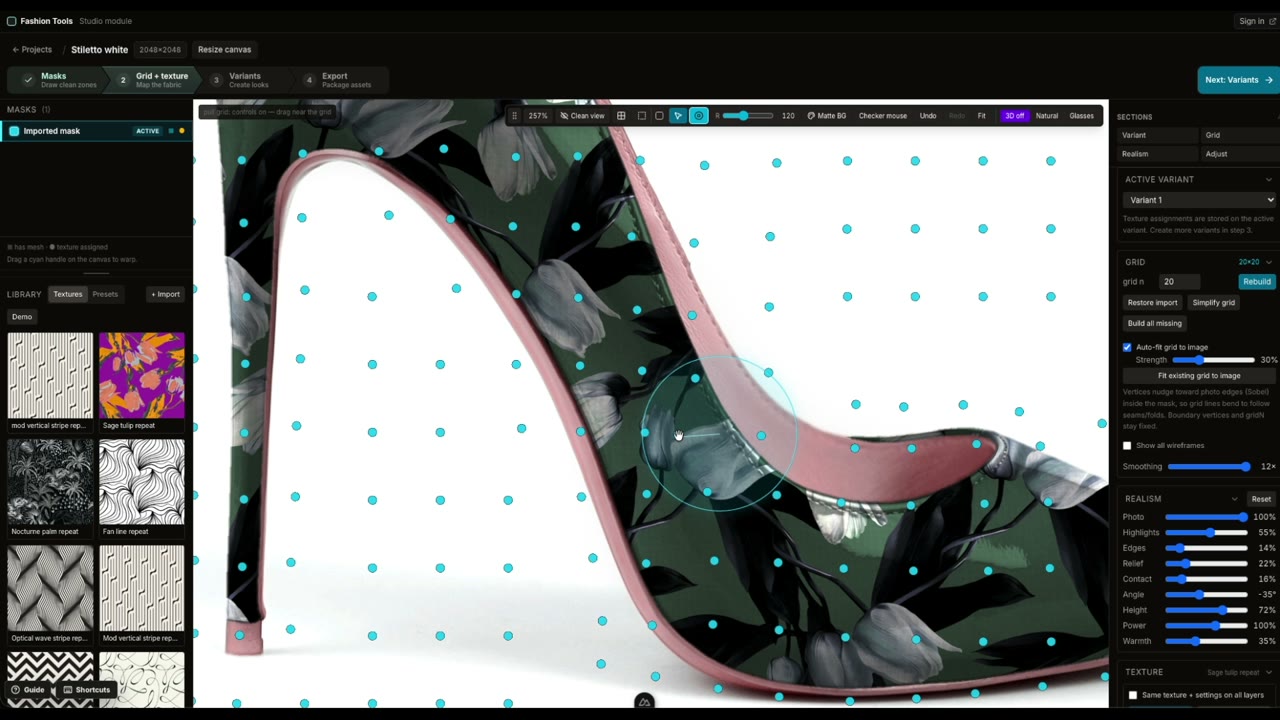
Patterns, textures and colorways adjusted with a deformable grid.
PNG exports prepared for review, sales or presentation.
Use cases
Textile mockup use cases
Fashion brands and studios
Present a capsule, print or several color options on a garment, bag or accessory photo.
Home textile and interiors
Preview a repeat on cushions, curtains, fabric or another surface before buyer meetings.
Showroom and wholesale
Prepare consistent variants for line sheets, collection reviews and client approval.
Workflow
How to prepare a textile mockup
Import the photo and pattern
Start with a neutral product image and a pattern, texture or colorway file.
Mask and adjust the material
Define useful zones, then adapt the placement to the product shape.
Compare and export
Build options and export the selected visuals for decisions or presentations.
Frequently asked questions
Mockup Studio questions
Which files do I need to provide?
A clean, neutral product photo and one to three patterns, textures or color variants are enough to scope a first pilot.
Does a mockup replace a physical prototype?
No. It helps teams shortlist and present visual directions before sampling; material and production validation remain physical.
Can we test the service before licensing?
Yes. The 490 EUR guided pilot produces several previews from your own files so you can validate the workflow.
Fashion Tools suite
Continue the textile workflow
Connect design, color preparation and mockups in one studio journey.
Test the workflow on your product
Send a neutral photo and your patterns to scope a pilot, or open the public Mockup Studio demo.